
Speaker Making Crackling Sound? Causes and Fixes (2025 Updated Guide)
If your speaker suddenly starts making that annoying crackling or popping sound — trust me, you’re not alone. Whether it’s your phone speaker, Bluetooth speaker, or even your laptop’s built-in ones, that noise can ruin your whole vibe.
So let’s talk about why it happens and, more importantly, how you can fix it like a pro — without wasting money or time.
What Actually Causes Crackling in Speakers?
Crackling is your speaker’s cry for help. It always means something is wrong, either with its parts, the connection, or the sound source. Let’s break it down clearly:
Dust or Water Damage in the Speaker Mesh
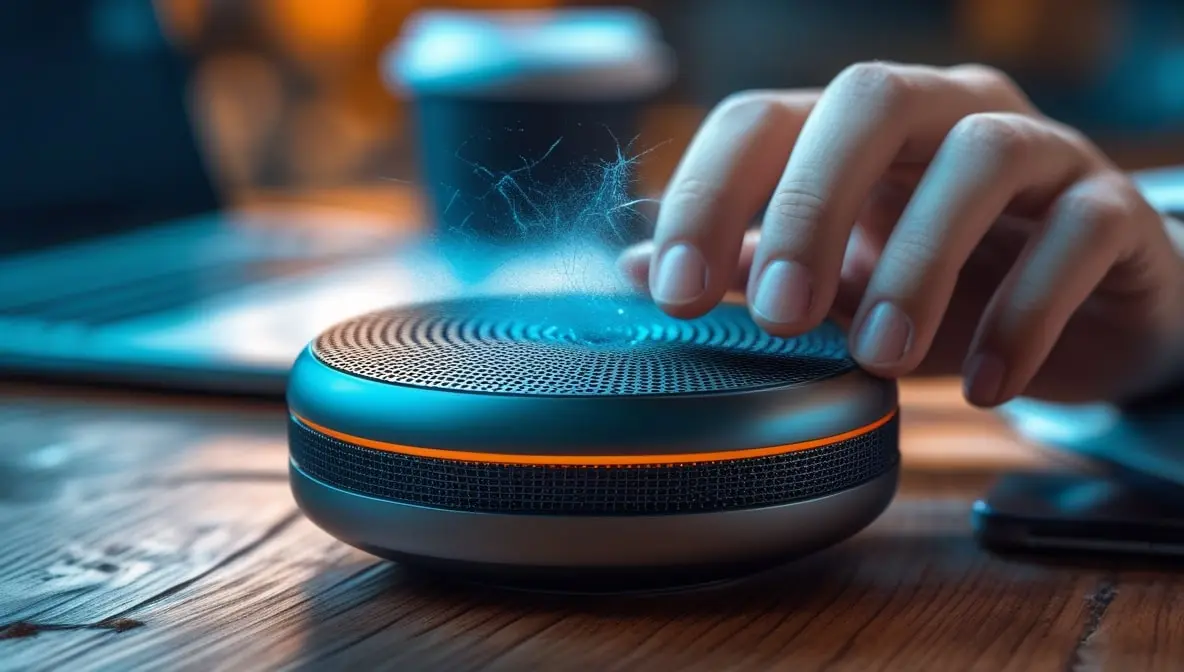
Usually, if your phone’s speaker is crackling, it’s just because some pocket lint or a little moisture got stuck in the speaker grill.
Over time, tiny particles or water droplets mess with the sound vibration. That’s why the sound feels “broken” or distorted. Real talk: if you dropped your phone in water or used it in humid weather, it’s probably this.
Loose or Corroded Connection
If it’s a wired speaker or headphone, even a slightly loose aux or USB port can cause popping sounds.
Corrosion on metal connectors can break the audio signal for microseconds, and you hear that as crackling.
It’s a Glitch in Your Phone or Computer
Sometimes, your speaker is totally fine! The problem is actually the software. A bad update, a messed-up music file, or an equalizer app with the settings turned up way too high can all mess with the sound and make it fuzzy and distorted.
You’re Blasting the Volume Too Loud
Hey, just so you know, when you crank your volume all the way up to 100%, you’re basically asking your speaker to scream at the top of its lungs. It’s just too much for the little guy to handle! When that happens, the sound gets all overloaded and can’t play clearly anymore. That harsh, crunchy, fuzzy noise you start to hear is called “clipping,” and it’s a sure sign you’re pushing your speaker way too hard.
Faulty Amplifier or Sound Card
If you’re using an external speaker or sound system, a great place to check is the power source. Sometimes the real issue is a wobbly power supply or a faulty adapter. Think of the amplifier—that’s the part that boosts the sound—as the heart of the system. If it’s sending shaky, uneven power to your speakers, that’s often the hidden culprit behind all those annoying crackles and pops you’re hearing.
Physical Speaker Damage (Cone or Coil)
Has your speaker taken a fall? Or is it just old? The delicate parts inside can get torn, and that physical damage can lead to a constant crackling sound.
Quick Check Before You Panic
Hey, don’t give up on that speaker! Let’s be detectives for a second. First, just play some music from a different source—another phone or a computer will do. If the sound is still crunchy and awful, then yep, the problem is most likely the speaker and not your device.
Here’s another super simple check: plug in a pair of headphones. If the audio comes through crisp and clear in your ears, then you know for sure the problem is hiding inside the speaker, not your phone.
You can also try out my own Speaker Cleaner tool. It’s totally free and simple to use—it just plays a special sound that can help shake loose any dust and check if your speaker is still kicking, all in a matter of seconds.
Fixing Speaker Crackling — Step by Step
Let’s go practical now — real fixes that actually work.
Clean Your Speaker (Gently but Properly)
If it’s your phone or Bluetooth speaker, dust is usually the main villain. Here’s how you can clean it safely:
- Go to my Speaker Cleaner Tool
- Run the “Dry Mode” first to push out trapped particles.
- Then use “Wet Mode” if your speaker got moisture in it.
- Repeat a couple of times.
- Wipe the grill with a soft, dry microfiber cloth.
Pro tip: Avoid using sharp pins or compressed air — it can damage the mesh.
Check All Cables and Ports
- Unplug and replug cables to make sure there’s no loose connection.
- Clean the connectors using a cotton swab slightly dipped in isopropyl alcohol.
- Try another aux or USB cable — 50% of the time, that’s the hidden culprit.
Update or Reset Your Audio Drivers (For PC/Laptop Users)
If your computer speaker is crackling:
- Open Device Manager → Sound, Video, and Game Controllers.
- Right-click your audio device → “Update Driver.”
- If that doesn’t work → “Uninstall Device” → Restart your system (it reinstalls automatically).
- Also, check Windows Sound Settings → disable all unnecessary sound enhancements.
When Apps Fight With Your Phone
You know how sometimes you download a new app for sounds or an equalizer, and suddenly your audio gets all crackly? It’s probably that new app causing trouble.
Here’s a cool trick to check: restart your phone in “Safe Mode.” This is like a special mode where all the apps you downloaded are turned off for a bit. If the sound is clear in Safe Mode, you’ve found the problem!
Fixing it is easy. Just uninstall any recent sound or equalizer apps you added. And as a final touch, clear the cache for your music app—it’s like giving it a clean slate to start over with.
Don’t Crank the Volume Too High
Here’s a simple tip: try not to blast your volume at 100%. Keeping it around 70-80% is usually the sweet spot for clear, good-sounding audio without the distortion.
Also, watch those equalizer settings. If you pick a preset that makes the bass super loud, that’s often what’s causing that fuzzy, distorted sound. If you’re using an extra amp, just make sure your phone’s volume and the amp’s volume are both at a medium level. You don’t want one cranked all the way up while the other is super low.
Check if the Speaker is Physically Broken
If you’ve tried everything and it’s still crackling, the speaker itself might be damaged. Take a quick look at the speaker grille if you can. See if there’s a little tear in that papery part inside, or if anything looks loose or weird. If you smell anything like burnt electronics, that’s a sure sign it’s fried.
If it’s a hardware issue like this, you’ll probably need to take it to a pro to get it fixed, or think about replacing it.
Bonus Tips: Prevent Future Crackling
- Try not to play your music all the way up for a long time.
- Try to keep your speaker away from water and don’t leave it sitting in direct sunlight.
- Make a habit of cleaning out your speaker grills and charging ports every so often.
- Always disconnect properly — don’t yank cables.
- Use high-quality audio files; low-bitrate MP3s sometimes cause “fake” crackling sounds.
Final Thoughts
Dealing with crackly speakers is super annoying, but the good news is, they’re probably not broken for good. Most of the time, they’re just a little dirty, wet, or just acting glitchy.
Usually, a simple clean, checking your cords, or changing a few settings is all it takes to get that clear sound back.
Want to check your speaker right now? Try the Speaker Cleaner Tool. It helps get rid of gunk and moisture, and it’ll even let you know if you can fix it yourself or if you need to get it looked at.
So next time your audio starts crackling, don’t stress. Just take a breath and work through these steps—you’ll likely have it fixed in no time.